Log a drink
Use Small or Medium on the home screen, or Custom to enter an amount. You can mark a drink after exercise.
 WaterReminder
A simple place to record water, set your own goal, and understand your recent routine. Find answers and contact the developer here.
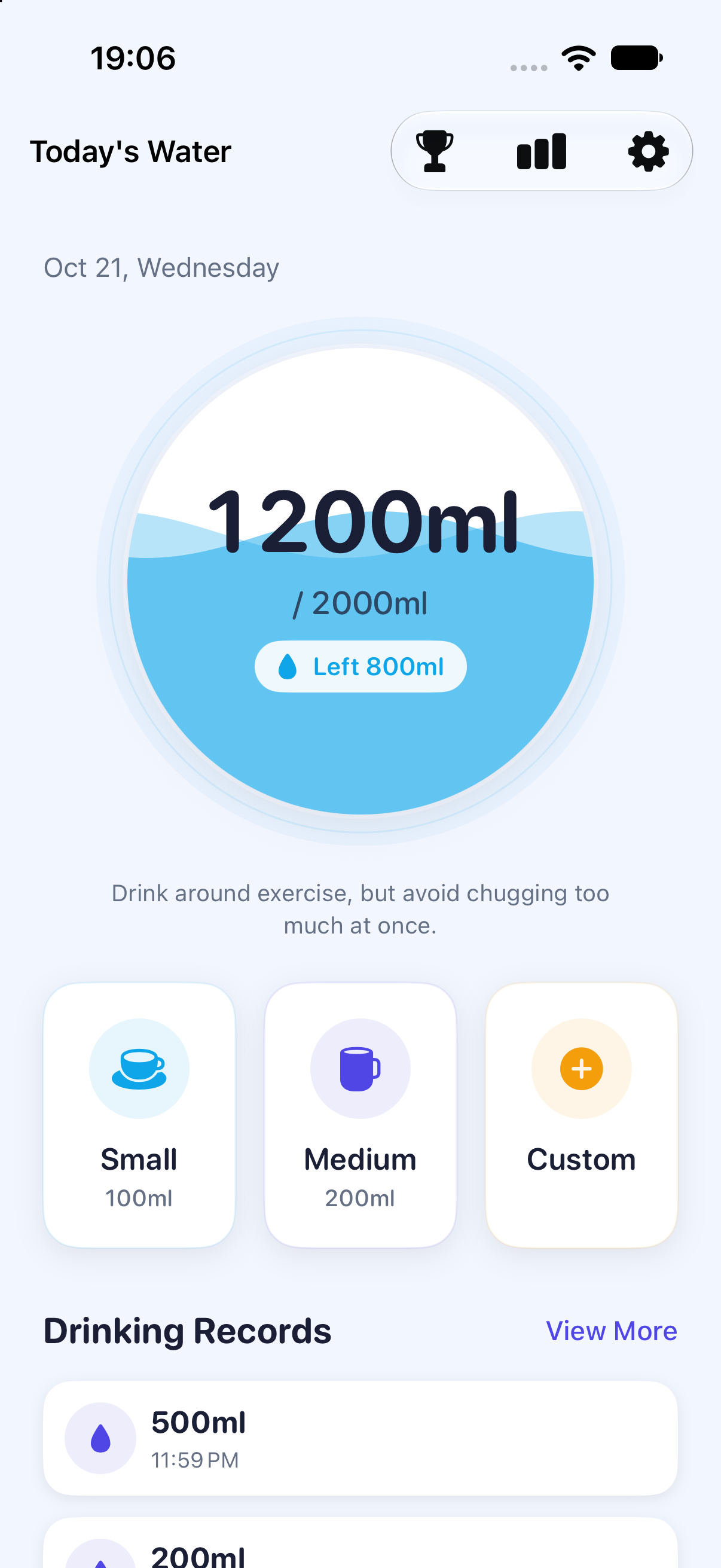
Use Small or Medium on the home screen, or Custom to enter an amount. You can mark a drink after exercise.
Open Settings → Daily Goal. Choose ml or oz and Japanese, English or Simplified Chinese in Settings.
Open Stats for hourly, last-7-day and last-30-day views. Tap a chart to inspect an amount.
Enable Reminders in the app and allow notifications in iOS Settings. Check your reminder hours, interval, pause state, Focus and notification summary. Smart, paused and dense schedules use a limited queue; reopen the app by the date shown in Reminder Settings to extend it. Fixed schedules with no more than 60 daily slots can repeat daily when not paused. iOS controls actual delivery.
Core water logging, local statistics, tasks and settings do not require an account or an app server. Sending feedback email needs a configured mail app and a connection.
Historical comparisons use your current daily target. Week and month show the last 7 and 30 days, including today, rather than calendar weeks or months.
Settings → Reset All removes local water records and progress, resets related settings and turns reminders off. Your selected language is retained. This cannot recover previously deleted records. iOS backups are separate and may include app data; manage them in system settings.
Version 1.0 does not provide cloud sync or Apple Health integration. The developer cannot retrieve local water records from a server.
The app interface supports Japanese, English and Simplified Chinese. Open Settings → Language to change it. 日本語 is the Japanese option in every language.
No. WaterReminder is a personal recording tool, not a medical device. Targets and tips are general references. Choose a target appropriate to your circumstances and any guidance from your healthcare professional.
Email the developer with your app version, iOS version, what happened, and the steps to reproduce it. Only include information you want to share. The in-app Feedback screen opens an editable email draft; nothing is sent automatically.
App Store launch is being prepared. The app is planned as a paid download in the United States and Japan; final local prices appear in the App Store.